Green Living
Green living in Pittsfield, MA is a flat out success according to rankings produced by Country Home Magazine at http://www.countryhome.com. In the 2008 listing of "green cities" in the U. S. , Country Home fixed Pittsfield, MA at #24 giving it a position higher than any other east coast community and indicating that it really is possible for people who want to live "green lives" to find an obliging community in the Commonwealth of Massachusetts. How can it be that Pittsfield, Massachusetts managed to edge itself into a top spot among other communities located west of the Mississippi in states like Oregon, Colorado, California and Washington?
There are a number of ways by which to evaluate how "green" a living area truly is. Whether you are talking about your own home, office space, a school or an entire city, there are some elements that give a tip off to the green quality of the area under consideration. When Country Home magazine evaluates towns and cities across the U. S. in its 2008 survey it indicated that it was looking for what communities offered by way of green power, energy policies, green buildings and the availability of locally grown food. Pittsfield exceeded expectations in several of these area and also added some green elements of its own
Green Power - In some ways local municipalities are limited in how much actual change they can make in the kinds of power upon which they rely. What cities and towns can do, in a sense is what we all can do, is to make better use of the power they have by investing in energy efficient equipment for town use. When Country Home magazine investigated Green Living in Pittsfield, MA they discovered that the town had moved ahead on the concept of amping down city equipment. Unlike many other communities , in Pittsfield all city stop lights and the city's waste water treatment can claim to be using less energy due to the use of energy efficient equipment.
No doubt those reviewing the community of Pittsfield for its green components also stumbled quickly upon the support that has been shown in Pittsfield for the use of bicycles in place of automobiles for in town travel. Bike racks have been installed in some bank parking lots and encouragement and support are given to community members who take up the two wheeler instead of burning fuel each day. Pittsfield, MA has taken the important step of working towards receiving a "bicycle friendly community" designation. While there is work yet to be done, the town of Pittsfield, MA is definitely moving in the right, that is the green, direction.
Town Energy policies - Perhaps the most visible aspect of the green trend in Pittsfield MA is the physical presence of the Center for Ecological Technology located right in the community. Its central location helps to keep citizens aware of the town's bent toward living green. Developments coming out of this center help to keep residents in Pittsfield, MA on the cutting edge of green technology with all its local applications. The town has also taken the step to work on its energy policies by joining the International Cities Local Environmental Initiatives orgainization to work on sustainability and climate related projects at the city level.
While you may not call it an official policy, the "Green Drinks" gatherings on the third Tuesday of each month in Pittsfield are unlikely to have escaped the notice of the investigating staff from Country Home magazine. "Green Drinks" serves as an early evening opportunity for those interested in environmental issues to gather together and discuss green possibilities in an informal but often productive way. It says something positive and green about the town of Pittsfield that this informal gathering has been in place for more 2 years.
Finally the activist mayor of Pittsfield, MA has put the country and his residents on notice that Pittsfield is serious about global warming by signing on to the U. S. Mayors Climate Protection Agreement ( http://www.coolcities.us )
Green Buildings. Encouraging green buildings in the city of Pittsfield starts at the top, that is it begins with investing in green buildings with public dollars. One clear sign of the commitment made by the city of Pittsfield,MA to the green philosophy in building can be found in the Conte Community School. Among other positive community projects in action at the school, named for former legislator Silvio Conte, Pittsfield has installed solar panels at the Conte Community School and has ready information about the power generated through this program. As green buildings begin to grrow up across the state and the nation, having solar panels in an elementary school is certainly a commendable way to provide a very "teachable situation" for community young people in attendance.
Availability of fresh, locally grown food. Surely the selection committee working for Country Home magazine could not have mssed the ongoing farmers market in Pittsfield Throughout spring, summer and continuing until Novemeber local shoppers can get the best of locally produced fresh foods right in their own backyard. Farmers markets have been growing in popularity across the state and Pittsfield has joined the list of cities and towns where Farmers Market is both a shopping and a social experience.
Besides meeting the basic criteria for a green community, Pittsfield simply looks the part of a green community . With state and local parks abounding and a Massachusetts Audubon sanctuary in the community, people living in Pittsfield have no difficulty in picking up the theme of green. The city of Pittsfield has earned its ranking as a Top 25 Green City in the nation as well as the respect of its neighbors across the state of Massachusetts. Go green.
Green Living
Monday, 7 March 2011

Saturday, 5 March 2011
Double Jogging Strollers Reviews
Double Jogging Stroller -
We were in the market for a stroller for an older child because it has gotten significantly more difficult to carry her around for more than short distances. The problem that I ran into was that if the weight limit was okay, then the seat height was not. Many strollers hold a child up to 50 pounds and some go up to 75 or even 100 pounds but the seat height would be too short for my daughter. (She is on the petite side of both height and weight!) I also wanted some growing room especially if I spent so much for a stroller of this size. So the only other option was to look into special needs strollers which now presents an additional problem. Many special needs strollers are made for children with physical disabilities and are more like wheelchairs with foot straps and more. All we basically needed was a rolling chair made to fit older children so I would feel more comfortable taking my child with autism to amusement parks including Walt Disney World and on long walks. Carrying her after she reached 40+ pounds was getting to be too much on my back. As anyone with a child with autism can tell you, our children can physically walk but at times won't.
So we settled on a Maclaren that so many people recommended...only to find out that no one had it! It was not in stock anywhere and wouldn't be until the end of summer. Too late for our plans! All this time I was wishing that I could see these special needs strollers in person and try them out but no store nearby had them. I had to order based on pictures and descriptions on websites. Then I called www.adaptivechild.com to ask for recommendations. A very helpful person there stayed on the phone many times with me to help me decide which push chair/stroller would be best for my daughter. I took his recommendation of the Axiom 2 as he said that is what he had for his child with autism and he loved it. (It sealed the decision when he told me that!)
Now that we have the Axiom 2 and have experience putting it together and using it, there are things that I love and hate about it. For $1000+ you can expect that it is well made and will last practically forever! Sure I haven't had it forever but I can't imagine anything hurting this stroller! First things first. Putting it all together. The box came and the delivery guy hauled it in the house for me as he said "this is heavy!". I pulled out the directions and got a little nervous. It said to have handy a screw driver, 11 mm wrench, and a rubber mallet. I thought that it would come put together for the most part! The pictures show the stroller in 9 pieces! I am not the best at putting stuff together! I felt better once I unpacked all of the items and found the stroller mostly put together!
I did have to put on the wheels which seemed really easy to start with. The two large back wheels had a button to press and they slipped right on. I chose the smaller wheels for the front instead of the jogging one wheel and did have a problem with that piece. I read the directions and understood how to do it but it was not going on. I called for assistance and the company emailed me a video of someone putting the piece on. I still could not get it on! Rotating the piece to hook it on to the fork tips kept making the piece slip back off of the fork tips. After giving up for the night and trying again the next day....I tried 10 more times and finally it clicked into place! Then there is a backboard piece that you can choose to use or not in the back of the seat. I decided to use it as it didn't look comfortable without it. I could not find where to put it in and the directions say nothing about it at all! Finally I looked at the bottom of the seat in back of the stroller and found the place to slip it in.
The sun canopy was simple to put on but it did take some strength. There is a large velcro piece on the back of the seat that attaches to the sun canopy. Then it has clamps on it that attach to the side poles. It was easier to remove the cloth from the frame before trying this. They push on and snap tightly. I folded the rain cover and the bug cover underneath the stroller in the basket so we will have them ready when needed. These pieces basically just lay over the stroller and velcro at the handle and feet. To recline the seat, there are 2 straps at the seat back that can tighten to sit it up or loosen to lay it back. I didn't care for this at all. If a child falls asleep, it bumps the seat too much to do this. I would much rather have a release and then a click into place mechanism as other strollers do.
To fold the stroller up, you will need a friend or 3 hands to help you. First unclip the pins on each side of the stroller, this takes a bit of tugging and pushing the legs up under the stroller at the same time! Then the side bars will slide down to the front of it. Then there are 2 black locks on each side of the top of the stroller, unclip them. The stroller will then only lay flatter and fold up if you tug on the seat part of it. To unfold, you will need a friend or 3 hands as well. This is harder than folding it up! One person needs to stand at the front of the stroller and one person at the back of it. One pulls on the handle while the other pulls out the feet of it. Once it has straightened out and up, clip the locks on each side and pull the bars back into position, clip the pins onto the bars.
There are some wonderful aspects of this stroller such as the adjustable handle. It will move into a higher or lower position, whatever is more comfortable to you. It is also very padded and comfortable to use. There are also 2 locks to stop the stroller in place. One is a convenient foot brake at the back of the stroller. Use your foot and kick it into place. Making it go back up to start the stroller again is a bit more uncomfortable as it pushes against the top of your foot. The other brake is a hand brake which is on the handle. This is for use only with the jogging wheel. A wrist strap is attached to the bottom back metal piece and fits around your wrist so the stroller does not get away from you. The stroller advertisement said there was a lot of storage in this special needs stroller and there is but it is pretty small! There is a good sized pocket on the back of it that is wonderful and it has a zipper. This would be good for snacks or sensory toys. There are 2 drink holder pockets underneath that large pocket but they look really small. A 20 ounce coke or water bottles would fit but don't expect a Big Gulp to go in! A can of coke might be too short for these drink holders. Smaller pockets are on each side for a cell phone or keys but I think they are much too shallow and am afraid to lose anything important so we don't use those. The basket underneath is a good size but I had to un-velcro a corner to use it! The child has 2 storage pockets beside of them that are big enough for small items. The warning says not to overload the storage spaces as it could tip the stroller over. Another wonderful addition to this stroller are the many many reflective strips so walking or jogging at night is safer. The 5 point harness is great but not what I usually see. It took a bit of trying to get my daughter buckled into it. Now I know to adjust the straps first then put her into it. I also love, as my daughter does, the coloring of this stroller. Red and black made a statement! The material is machine washable. It comes with a sun canopy and a rain shield. (I purchased the bug shield too.) The stroller moves easily even with my child in it.
Now for the bad. To fit my daughter, we had to choose the Axiom 2 but it is too long for her! The stroller is not adjustable in any way. It does allow for growing room but it is irritating that the stroller is so big when we don't need it to be. The foot wells and foot straps (can be removed) are more for a child with physical disabilities. The height of this stroller is the worst feature and the part I dislike most. Standing at 5'6, I can't see directly in front of the stroller and worry about running over a small child at an amusement park! The seat could have been designed better to allow a shorter height so parents can actually see where they are walking. Not only does it make the stroller difficult to use but also makes it look strange! Not only that but the length of it is way too long. Jogging strollers are typically long but this is ridiculous! Why couldn't the seat be sat up more instead of the child's legs going so far straight out? She isn't in bed but being pushed around! The color of the seat is gray which is odd since the other parts are red and black. It would have been better for it to be red or black. A drink holder for the child would have been ideal too. It is too easy to tip up on it's back wheels which scares my daughter to death! The instruction manual had a ton of misspelling throughout. The instructions say not to let the child stand up in the stroller but to get up into it and out of it, my daughter has to stand up or I have to physically put her in it. So far it hasn't tipped over, thank goodness. The stroller weighs 37 pounds. The seat reclines only 15 degrees. The measurements of the stroller unfolded are58"L x 24"W x 48-52"H.
Other accessories that we did not get are the carry bag, back pack, bunting bag, flashing light, and cushioned insert. Most we did not need but no one needs the carry bag! The stroller is difficult enough to fold down, much less to place it into a bag! I loved the customer service who were very helpful and did indeed make sure we got the stroller quickly when we needed it. The customer service hours closed early so try to call before 5 pm. There are 3 sizes for the Axiom stroller, 2, 3, and 4.The Axiom 2 which we have can carry a child up to 150 pounds.
My recommendation is to see this stroller prior to buying. I don't know if this is possible but I wish I had! It is a very tall, large stroller. I am sure that we could have found one more appropriate for my daughter! It will work for our needs and allow my daughter to get out more comfortably. I only wish it wasn't so bulky and hard to fold up.
Double Jogging Strollers
The Diary of a Wimpy Kid movie hits theaters March 19, 2010. This 20th Century Fox live action family comedy is based on the #1, best-selling kid series, written by Jeff Kinney. Rated PG, the Wimpy Kid comedy does have some crude language and humor.
The highly anticipated kid's film was originally going to be released on April 2, 2010 but the release date was thankfully moved up.
The Wimpy Kid series is Greg's humorous narration of his middle school misadventures. My daughter said, "most every kid in our school has read Diary of a Wimpy Kid." It is true, even the most reluctant young and even older reader enjoys the comic strip, hand-written style and comedy found in this novel series that is printed on lined pages.
Diary of a Wimpy Kid stars Zachary Gordon as Greg, Steve Zahn as Greg's dad and Rachael Harris as Greg's mom. Greg has a 'mean' older brother, Rodrick, a funny but 'annoying' little brother, Manny and 'embarrassing' best friend, Rowley.
The film covers Greg's first year of middle school. Other character favorites from the book series featured in this movie include: Fregley, Chirag, and Patty Farrell. I doubt that this will be the last movie to be made from the Wimpy Kid series. Check out the Diary of a Wimpy Kid movie trailer here.
Simple stick figure illustrations and adolescent humor turn into a hilarious film for the big screen that is sure to be a box office hit. My children and millions of other kids are sure to fill the theaters this March 2010 to see this funny film.
The Wimpy Kid Movie Diary will be in stores March 16, 2010 and includes new cartoons, details on the making of this film, and photos from the movie.
Other wonderful family films on the big screen in March 2010
Tim Burton's Alice in Wonderland (PG) will be released March 5, 2010.
How to Train Your Dragon (PG) comes out March 26, 2010.
Hubble 3D (G) hits theaters March 19, 2010.
Our Family Wedding (PG-13) will be on the big screen March 12, 2010.
Sources:
Diary of a Wimpy Kid movie trailer, Wimpy Kid
Tim Burton's Alice in Wonderland Sneak Peeks, Associated Content
Diary of a Wimpy Kid film, Wikipedia
March 2010 Movie Madness: Thrillers in Theaters that Share a Coincidental Theme, Associated Content
We were in the market for a stroller for an older child because it has gotten significantly more difficult to carry her around for more than short distances. The problem that I ran into was that if the weight limit was okay, then the seat height was not. Many strollers hold a child up to 50 pounds and some go up to 75 or even 100 pounds but the seat height would be too short for my daughter. (She is on the petite side of both height and weight!) I also wanted some growing room especially if I spent so much for a stroller of this size. So the only other option was to look into special needs strollers which now presents an additional problem. Many special needs strollers are made for children with physical disabilities and are more like wheelchairs with foot straps and more. All we basically needed was a rolling chair made to fit older children so I would feel more comfortable taking my child with autism to amusement parks including Walt Disney World and on long walks. Carrying her after she reached 40+ pounds was getting to be too much on my back. As anyone with a child with autism can tell you, our children can physically walk but at times won't.
So we settled on a Maclaren that so many people recommended...only to find out that no one had it! It was not in stock anywhere and wouldn't be until the end of summer. Too late for our plans! All this time I was wishing that I could see these special needs strollers in person and try them out but no store nearby had them. I had to order based on pictures and descriptions on websites. Then I called www.adaptivechild.com to ask for recommendations. A very helpful person there stayed on the phone many times with me to help me decide which push chair/stroller would be best for my daughter. I took his recommendation of the Axiom 2 as he said that is what he had for his child with autism and he loved it. (It sealed the decision when he told me that!)
Now that we have the Axiom 2 and have experience putting it together and using it, there are things that I love and hate about it. For $1000+ you can expect that it is well made and will last practically forever! Sure I haven't had it forever but I can't imagine anything hurting this stroller! First things first. Putting it all together. The box came and the delivery guy hauled it in the house for me as he said "this is heavy!". I pulled out the directions and got a little nervous. It said to have handy a screw driver, 11 mm wrench, and a rubber mallet. I thought that it would come put together for the most part! The pictures show the stroller in 9 pieces! I am not the best at putting stuff together! I felt better once I unpacked all of the items and found the stroller mostly put together!
I did have to put on the wheels which seemed really easy to start with. The two large back wheels had a button to press and they slipped right on. I chose the smaller wheels for the front instead of the jogging one wheel and did have a problem with that piece. I read the directions and understood how to do it but it was not going on. I called for assistance and the company emailed me a video of someone putting the piece on. I still could not get it on! Rotating the piece to hook it on to the fork tips kept making the piece slip back off of the fork tips. After giving up for the night and trying again the next day....I tried 10 more times and finally it clicked into place! Then there is a backboard piece that you can choose to use or not in the back of the seat. I decided to use it as it didn't look comfortable without it. I could not find where to put it in and the directions say nothing about it at all! Finally I looked at the bottom of the seat in back of the stroller and found the place to slip it in.
The sun canopy was simple to put on but it did take some strength. There is a large velcro piece on the back of the seat that attaches to the sun canopy. Then it has clamps on it that attach to the side poles. It was easier to remove the cloth from the frame before trying this. They push on and snap tightly. I folded the rain cover and the bug cover underneath the stroller in the basket so we will have them ready when needed. These pieces basically just lay over the stroller and velcro at the handle and feet. To recline the seat, there are 2 straps at the seat back that can tighten to sit it up or loosen to lay it back. I didn't care for this at all. If a child falls asleep, it bumps the seat too much to do this. I would much rather have a release and then a click into place mechanism as other strollers do.
To fold the stroller up, you will need a friend or 3 hands to help you. First unclip the pins on each side of the stroller, this takes a bit of tugging and pushing the legs up under the stroller at the same time! Then the side bars will slide down to the front of it. Then there are 2 black locks on each side of the top of the stroller, unclip them. The stroller will then only lay flatter and fold up if you tug on the seat part of it. To unfold, you will need a friend or 3 hands as well. This is harder than folding it up! One person needs to stand at the front of the stroller and one person at the back of it. One pulls on the handle while the other pulls out the feet of it. Once it has straightened out and up, clip the locks on each side and pull the bars back into position, clip the pins onto the bars.
There are some wonderful aspects of this stroller such as the adjustable handle. It will move into a higher or lower position, whatever is more comfortable to you. It is also very padded and comfortable to use. There are also 2 locks to stop the stroller in place. One is a convenient foot brake at the back of the stroller. Use your foot and kick it into place. Making it go back up to start the stroller again is a bit more uncomfortable as it pushes against the top of your foot. The other brake is a hand brake which is on the handle. This is for use only with the jogging wheel. A wrist strap is attached to the bottom back metal piece and fits around your wrist so the stroller does not get away from you. The stroller advertisement said there was a lot of storage in this special needs stroller and there is but it is pretty small! There is a good sized pocket on the back of it that is wonderful and it has a zipper. This would be good for snacks or sensory toys. There are 2 drink holder pockets underneath that large pocket but they look really small. A 20 ounce coke or water bottles would fit but don't expect a Big Gulp to go in! A can of coke might be too short for these drink holders. Smaller pockets are on each side for a cell phone or keys but I think they are much too shallow and am afraid to lose anything important so we don't use those. The basket underneath is a good size but I had to un-velcro a corner to use it! The child has 2 storage pockets beside of them that are big enough for small items. The warning says not to overload the storage spaces as it could tip the stroller over. Another wonderful addition to this stroller are the many many reflective strips so walking or jogging at night is safer. The 5 point harness is great but not what I usually see. It took a bit of trying to get my daughter buckled into it. Now I know to adjust the straps first then put her into it. I also love, as my daughter does, the coloring of this stroller. Red and black made a statement! The material is machine washable. It comes with a sun canopy and a rain shield. (I purchased the bug shield too.) The stroller moves easily even with my child in it.
Now for the bad. To fit my daughter, we had to choose the Axiom 2 but it is too long for her! The stroller is not adjustable in any way. It does allow for growing room but it is irritating that the stroller is so big when we don't need it to be. The foot wells and foot straps (can be removed) are more for a child with physical disabilities. The height of this stroller is the worst feature and the part I dislike most. Standing at 5'6, I can't see directly in front of the stroller and worry about running over a small child at an amusement park! The seat could have been designed better to allow a shorter height so parents can actually see where they are walking. Not only does it make the stroller difficult to use but also makes it look strange! Not only that but the length of it is way too long. Jogging strollers are typically long but this is ridiculous! Why couldn't the seat be sat up more instead of the child's legs going so far straight out? She isn't in bed but being pushed around! The color of the seat is gray which is odd since the other parts are red and black. It would have been better for it to be red or black. A drink holder for the child would have been ideal too. It is too easy to tip up on it's back wheels which scares my daughter to death! The instruction manual had a ton of misspelling throughout. The instructions say not to let the child stand up in the stroller but to get up into it and out of it, my daughter has to stand up or I have to physically put her in it. So far it hasn't tipped over, thank goodness. The stroller weighs 37 pounds. The seat reclines only 15 degrees. The measurements of the stroller unfolded are58"L x 24"W x 48-52"H.
Other accessories that we did not get are the carry bag, back pack, bunting bag, flashing light, and cushioned insert. Most we did not need but no one needs the carry bag! The stroller is difficult enough to fold down, much less to place it into a bag! I loved the customer service who were very helpful and did indeed make sure we got the stroller quickly when we needed it. The customer service hours closed early so try to call before 5 pm. There are 3 sizes for the Axiom stroller, 2, 3, and 4.The Axiom 2 which we have can carry a child up to 150 pounds.
My recommendation is to see this stroller prior to buying. I don't know if this is possible but I wish I had! It is a very tall, large stroller. I am sure that we could have found one more appropriate for my daughter! It will work for our needs and allow my daughter to get out more comfortably. I only wish it wasn't so bulky and hard to fold up.
Double Jogging Stroller Reviews
Double Jogging Strollers
The Diary of a Wimpy Kid movie hits theaters March 19, 2010. This 20th Century Fox live action family comedy is based on the #1, best-selling kid series, written by Jeff Kinney. Rated PG, the Wimpy Kid comedy does have some crude language and humor.
The highly anticipated kid's film was originally going to be released on April 2, 2010 but the release date was thankfully moved up.
The Wimpy Kid series is Greg's humorous narration of his middle school misadventures. My daughter said, "most every kid in our school has read Diary of a Wimpy Kid." It is true, even the most reluctant young and even older reader enjoys the comic strip, hand-written style and comedy found in this novel series that is printed on lined pages.
Diary of a Wimpy Kid stars Zachary Gordon as Greg, Steve Zahn as Greg's dad and Rachael Harris as Greg's mom. Greg has a 'mean' older brother, Rodrick, a funny but 'annoying' little brother, Manny and 'embarrassing' best friend, Rowley.
The film covers Greg's first year of middle school. Other character favorites from the book series featured in this movie include: Fregley, Chirag, and Patty Farrell. I doubt that this will be the last movie to be made from the Wimpy Kid series. Check out the Diary of a Wimpy Kid movie trailer here.
Simple stick figure illustrations and adolescent humor turn into a hilarious film for the big screen that is sure to be a box office hit. My children and millions of other kids are sure to fill the theaters this March 2010 to see this funny film.
The Wimpy Kid Movie Diary will be in stores March 16, 2010 and includes new cartoons, details on the making of this film, and photos from the movie.
Other wonderful family films on the big screen in March 2010
Tim Burton's Alice in Wonderland (PG) will be released March 5, 2010.
How to Train Your Dragon (PG) comes out March 26, 2010.
Hubble 3D (G) hits theaters March 19, 2010.
Our Family Wedding (PG-13) will be on the big screen March 12, 2010.
Sources:
Diary of a Wimpy Kid movie trailer, Wimpy Kid
Tim Burton's Alice in Wonderland Sneak Peeks, Associated Content
Diary of a Wimpy Kid film, Wikipedia
March 2010 Movie Madness: Thrillers in Theaters that Share a Coincidental Theme, Associated Content
Friday, 4 March 2011
Juicers Reviews - Best Juicer Reviews
Juicers Reviews
This Christmas I was excited to receive a GE 800 watt juicer. I've wanted a juicer for some time but didn't want to settle for an inferior product. I had specific qualifications to consider for the juicer I would buy for myself. I wanted a juicer with a big loading chute that gave me as much juice as possible without pulp and with as little preparation and clean up as possible. When receiving my GE 800 watt juicer I was already familiar with reviews of the product. From what I gathered it was a lower priced model that wasn't considered the best juicer out there but was generally considered a great value. People also commented on its very powerful 800 watt motor that caused the juice to be very frothy. A little froth isn't too bad as long as my juice is clear and pulp free.
The first thing I noticed after taking it out of the box and before reading any of the included literature was that the pulp catching chamber is huge and could be removed without having to remove any other parts. This made me excited as I remember reading many reviews where people who had other juicers were very unhappy about having to disassemble the entire machine just to drain the pulp tank.
Reading the instructions I was disappointed to learn that oranges had to be peeled and apples hand to be cored. I wanted a juicer to keep me from prep time or else I would just eat the fruit.
When actually juicing I was disappointed to see the GE's 800 watt motor toss out most of my fruit without extracting any juice. I'm aware that juicers will give you less juice than you expect and expecting this I was still very disappointed. Watching carefully I could see the fruit barely touch the blade and be thrown out into the pulp chamber. This machine was throwing my food away and hardly leaving me anything. If the juicer actually did a good job of extracting juice the pulp should be dry, so I checked the pulp chamber and discovered that the pulp wasn't even pulp but large pieces of cut up wet fruit. With that said my tiny amount of juice wasn't just frothy but it was also full of pulp making the GE 800 watt juicer an all around bad choice. The few positives it had was that clean up was ok and it had a very large loading chute.
Here is my rating of this product on a 1-10 scale where 10 is Great and 1 is Terrible.
Juice Extraction Volume- 2 (would be a 1 but I did get some juice from apples)
Loading Chute Size- 9
Clean Up- 5
Pulp-3
Preparation- 1
Juicing Reviews
This Christmas I was excited to receive a GE 800 watt juicer. I've wanted a juicer for some time but didn't want to settle for an inferior product. I had specific qualifications to consider for the juicer I would buy for myself. I wanted a juicer with a big loading chute that gave me as much juice as possible without pulp and with as little preparation and clean up as possible. When receiving my GE 800 watt juicer I was already familiar with reviews of the product. From what I gathered it was a lower priced model that wasn't considered the best juicer out there but was generally considered a great value. People also commented on its very powerful 800 watt motor that caused the juice to be very frothy. A little froth isn't too bad as long as my juice is clear and pulp free.
The first thing I noticed after taking it out of the box and before reading any of the included literature was that the pulp catching chamber is huge and could be removed without having to remove any other parts. This made me excited as I remember reading many reviews where people who had other juicers were very unhappy about having to disassemble the entire machine just to drain the pulp tank.
Reading the instructions I was disappointed to learn that oranges had to be peeled and apples hand to be cored. I wanted a juicer to keep me from prep time or else I would just eat the fruit.
When actually juicing I was disappointed to see the GE's 800 watt motor toss out most of my fruit without extracting any juice. I'm aware that juicers will give you less juice than you expect and expecting this I was still very disappointed. Watching carefully I could see the fruit barely touch the blade and be thrown out into the pulp chamber. This machine was throwing my food away and hardly leaving me anything. If the juicer actually did a good job of extracting juice the pulp should be dry, so I checked the pulp chamber and discovered that the pulp wasn't even pulp but large pieces of cut up wet fruit. With that said my tiny amount of juice wasn't just frothy but it was also full of pulp making the GE 800 watt juicer an all around bad choice. The few positives it had was that clean up was ok and it had a very large loading chute.
Here is my rating of this product on a 1-10 scale where 10 is Great and 1 is Terrible.
Juice Extraction Volume- 2 (would be a 1 but I did get some juice from apples)
Loading Chute Size- 9
Clean Up- 5
Pulp-3
Preparation- 1
This Christmas I was excited to receive a GE 800 watt juicer. I've wanted a juicer for some time but didn't want to settle for an inferior product. I had specific qualifications to consider for the juicer I would buy for myself. I wanted a juicer with a big loading chute that gave me as much juice as possible without pulp and with as little preparation and clean up as possible. When receiving my GE 800 watt juicer I was already familiar with reviews of the product. From what I gathered it was a lower priced model that wasn't considered the best juicer out there but was generally considered a great value. People also commented on its very powerful 800 watt motor that caused the juice to be very frothy. A little froth isn't too bad as long as my juice is clear and pulp free.
The first thing I noticed after taking it out of the box and before reading any of the included literature was that the pulp catching chamber is huge and could be removed without having to remove any other parts. This made me excited as I remember reading many reviews where people who had other juicers were very unhappy about having to disassemble the entire machine just to drain the pulp tank.
Reading the instructions I was disappointed to learn that oranges had to be peeled and apples hand to be cored. I wanted a juicer to keep me from prep time or else I would just eat the fruit.
When actually juicing I was disappointed to see the GE's 800 watt motor toss out most of my fruit without extracting any juice. I'm aware that juicers will give you less juice than you expect and expecting this I was still very disappointed. Watching carefully I could see the fruit barely touch the blade and be thrown out into the pulp chamber. This machine was throwing my food away and hardly leaving me anything. If the juicer actually did a good job of extracting juice the pulp should be dry, so I checked the pulp chamber and discovered that the pulp wasn't even pulp but large pieces of cut up wet fruit. With that said my tiny amount of juice wasn't just frothy but it was also full of pulp making the GE 800 watt juicer an all around bad choice. The few positives it had was that clean up was ok and it had a very large loading chute.
Here is my rating of this product on a 1-10 scale where 10 is Great and 1 is Terrible.
Juice Extraction Volume- 2 (would be a 1 but I did get some juice from apples)
Loading Chute Size- 9
Clean Up- 5
Pulp-3
Preparation- 1
Juicing Reviews
This Christmas I was excited to receive a GE 800 watt juicer. I've wanted a juicer for some time but didn't want to settle for an inferior product. I had specific qualifications to consider for the juicer I would buy for myself. I wanted a juicer with a big loading chute that gave me as much juice as possible without pulp and with as little preparation and clean up as possible. When receiving my GE 800 watt juicer I was already familiar with reviews of the product. From what I gathered it was a lower priced model that wasn't considered the best juicer out there but was generally considered a great value. People also commented on its very powerful 800 watt motor that caused the juice to be very frothy. A little froth isn't too bad as long as my juice is clear and pulp free.
The first thing I noticed after taking it out of the box and before reading any of the included literature was that the pulp catching chamber is huge and could be removed without having to remove any other parts. This made me excited as I remember reading many reviews where people who had other juicers were very unhappy about having to disassemble the entire machine just to drain the pulp tank.
Reading the instructions I was disappointed to learn that oranges had to be peeled and apples hand to be cored. I wanted a juicer to keep me from prep time or else I would just eat the fruit.
When actually juicing I was disappointed to see the GE's 800 watt motor toss out most of my fruit without extracting any juice. I'm aware that juicers will give you less juice than you expect and expecting this I was still very disappointed. Watching carefully I could see the fruit barely touch the blade and be thrown out into the pulp chamber. This machine was throwing my food away and hardly leaving me anything. If the juicer actually did a good job of extracting juice the pulp should be dry, so I checked the pulp chamber and discovered that the pulp wasn't even pulp but large pieces of cut up wet fruit. With that said my tiny amount of juice wasn't just frothy but it was also full of pulp making the GE 800 watt juicer an all around bad choice. The few positives it had was that clean up was ok and it had a very large loading chute.
Here is my rating of this product on a 1-10 scale where 10 is Great and 1 is Terrible.
Juice Extraction Volume- 2 (would be a 1 but I did get some juice from apples)
Loading Chute Size- 9
Clean Up- 5
Pulp-3
Preparation- 1
Monday, 28 February 2011
www.unlockiphone345.com Reviews - Good Quality Product
I'm very satisfied with product delivered from www.unlockiphone345.com.
Their support is professional and very fast in helping.
The motivation for providing this tutorial is nothing but to provide the quick and definitive guide to one of the most searched topics.
Here we will be discussing about the unlocking procedures of 3G/3Gs & 2G 3.1.3 using secure software with recent updates. It is interesting to note that you can easily unlock even the latest version of your I-Phone 2G 3.1.3 by following simple steps. You will be able to choose you network ultimately.
The best efforts have been put forward to represent and describe each and every step in a straight forward manner. This tutorial is really easy to use when compared to other ones in tools like Blackra1n. Furthermore, compared with Blackra1n, the procedure is longer but then allows to have a custom firmware already prepared that can be restored to your iPhone. So you don't need to worry about such a situation. You might have heard about similar procedures with other tools to unlock iPhone. But this procedure is somewhat lengthy when compared to the ones like Blackra. But it offers the custom firmware that can be restored your gadget as just mentioned above.
The program works fine on operating systems like windows XP, vista and MacOS also.
Please read the following steps carefully.
1. Sn0wbreeze is a beta tool that does only the jail break.
2. This first version of sn0wbreeze is all about using the simple mode, through which it is possible to install the Cydia package as well to be implemented in custom firmware we are going to create and it is also possible to change the boot logo and enable other options like in the case of PwnageTool from DevTeam. All you have to do is to choose simple mode and select install cydia and unlock.
3. Just download the firmware file to your PC and select it..
4. The program will search for the correct file and then the unlock process can be started soon. Now you have to work here based on some conditions. If you are prompted whether you want to activate or not, please click on NO button if your I-Phone 2G/3G/3GS is bought in Europe, and YES if your gadget is purchased from USA.
5. After the unlocking process, you can save your custom created firmware to your PC so that you can use it to restore your iPhone in future.
6. So the complex processes are over. They were not at all complicated as you just realized.
Just put your I-Phone in DFU mode and then turn it off. Press the Home and Power button for 10 seconds, leaving only the Power key and keep pressing the Home button for 10 seconds. This will make you enter into DFU mode.
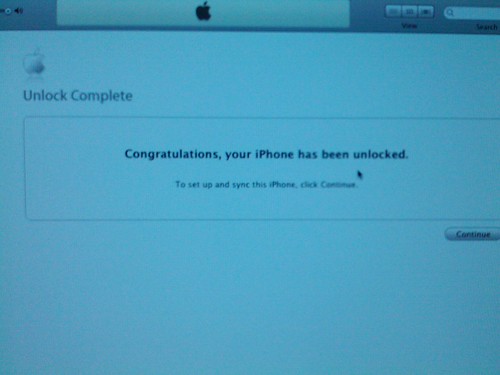
7. So you have just unlocked your I-Phone and you are allowed to use it on any network.
It is always recommended to use the final version of the tool even though the beta one works well. And it is possible to get the tool from this Web site www.unlock-iphone.org
Unlock iPhone
The motivation for providing this tutorial is nothing but to provide the quick and definitive guide to one of the most searched topics.
Here we will be discussing about the unlocking procedures of 3G/3Gs & 2G 3.1.3 using secure software with recent updates. It is interesting to note that you can easily unlock even the latest version of your I-Phone 2G 3.1.3 by following simple steps. You will be able to choose you network ultimately.
The best efforts have been put forward to represent and describe each and every step in a straight forward manner. This tutorial is really easy to use when compared to other ones in tools like Blackra1n. Furthermore, compared with Blackra1n, the procedure is longer but then allows to have a custom firmware already prepared that can be restored to your iPhone. So you don't need to worry about such a situation. You might have heard about similar procedures with other tools to unlock iPhone. But this procedure is somewhat lengthy when compared to the ones like Blackra. But it offers the custom firmware that can be restored your gadget as just mentioned above.
The program works fine on operating systems like windows XP, vista and MacOS also.
Please read the following steps carefully.
1. Sn0wbreeze is a beta tool that does only the jail break.
2. This first version of sn0wbreeze is all about using the simple mode, through which it is possible to install the Cydia package as well to be implemented in custom firmware we are going to create and it is also possible to change the boot logo and enable other options like in the case of PwnageTool from DevTeam. All you have to do is to choose simple mode and select install cydia and unlock.
3. Just download the firmware file to your PC and select it..
4. The program will search for the correct file and then the unlock process can be started soon. Now you have to work here based on some conditions. If you are prompted whether you want to activate or not, please click on NO button if your I-Phone 2G/3G/3GS is bought in Europe, and YES if your gadget is purchased from USA.
5. After the unlocking process, you can save your custom created firmware to your PC so that you can use it to restore your iPhone in future.
6. So the complex processes are over. They were not at all complicated as you just realized.
Just put your I-Phone in DFU mode and then turn it off. Press the Home and Power button for 10 seconds, leaving only the Power key and keep pressing the Home button for 10 seconds. This will make you enter into DFU mode.
7. So you have just unlocked your I-Phone and you are allowed to use it on any network.
It is always recommended to use the final version of the tool even though the beta one works well. And it is possible to get the tool from this Web site www.unlock-iphone.org
Their support is professional and very fast in helping.
The motivation for providing this tutorial is nothing but to provide the quick and definitive guide to one of the most searched topics.
Here we will be discussing about the unlocking procedures of 3G/3Gs & 2G 3.1.3 using secure software with recent updates. It is interesting to note that you can easily unlock even the latest version of your I-Phone 2G 3.1.3 by following simple steps. You will be able to choose you network ultimately.
The best efforts have been put forward to represent and describe each and every step in a straight forward manner. This tutorial is really easy to use when compared to other ones in tools like Blackra1n. Furthermore, compared with Blackra1n, the procedure is longer but then allows to have a custom firmware already prepared that can be restored to your iPhone. So you don't need to worry about such a situation. You might have heard about similar procedures with other tools to unlock iPhone. But this procedure is somewhat lengthy when compared to the ones like Blackra. But it offers the custom firmware that can be restored your gadget as just mentioned above.
The program works fine on operating systems like windows XP, vista and MacOS also.
Please read the following steps carefully.
1. Sn0wbreeze is a beta tool that does only the jail break.
2. This first version of sn0wbreeze is all about using the simple mode, through which it is possible to install the Cydia package as well to be implemented in custom firmware we are going to create and it is also possible to change the boot logo and enable other options like in the case of PwnageTool from DevTeam. All you have to do is to choose simple mode and select install cydia and unlock.
3. Just download the firmware file to your PC and select it..
4. The program will search for the correct file and then the unlock process can be started soon. Now you have to work here based on some conditions. If you are prompted whether you want to activate or not, please click on NO button if your I-Phone 2G/3G/3GS is bought in Europe, and YES if your gadget is purchased from USA.
5. After the unlocking process, you can save your custom created firmware to your PC so that you can use it to restore your iPhone in future.
6. So the complex processes are over. They were not at all complicated as you just realized.
Just put your I-Phone in DFU mode and then turn it off. Press the Home and Power button for 10 seconds, leaving only the Power key and keep pressing the Home button for 10 seconds. This will make you enter into DFU mode.
7. So you have just unlocked your I-Phone and you are allowed to use it on any network.
It is always recommended to use the final version of the tool even though the beta one works well. And it is possible to get the tool from this Web site www.unlock-iphone.org
Unlock iPhone
As we reported earlier, both PwnageTool 4.2 for Mac and Sn0wbreeze 2.2 for Windows are now available which can preserve baseband, and jailbreak iPhone, iPad and iPod touch on iOS 4.2.1 firmware.
This new version of PwnageTool and Sn0wbreeze also incorporates kernel based GreenPois0n exploit, which means that you can now create untethered 4.2.1 custom firmware files without the upgraded baseband so that you can unlock with current version of Ultrasn0w.
Simply follow the step by step instructions in the video embedded below to create custom 4.2.1 IPSW file without the upgraded baseband to jailbreak your iOS device.
Once you are done with the jailbreak, you can unlock your iPhone 4, 3GS and 3G on the old baseband using Ultrasn0w 1.2.
NOTE: You can also use this with iPhones which are flashed on 06.15 baseband so you can restore with this CFW (custom firmware).
Download PwnageTool 4.2 for Mac
Download Sn0wbreeze 2.2 for Windows
Download iOS 4.2.1 for iPhone, iPad, iPod touch and Apple TV 2
You can follow us on Twitter or join our Facebook fanpage to keep yourself updated on all the latest iPhone jailbreaking and unlocking releases.
Australia
You're spoiled for choice in Oz, with three major telcos all technically suited to the iPhone. Coverage in urban areas is excellent, even several meters underground in Melbourne's train stations. If your iPhone is unlocked, getting a pre-pay SIM for it is as simple as walking into one of the carriers' shops and paying for one; activation is a simple process, and you'll be off and running in less than an hour. Unlike US carriers, none of the Australian carriers charge extra to tether your iPhone to a computer, but you'll chew through your data allowance relatively quickly if you do so.
Telstra and Optus both seem to have good coverage and pre-pay plans with reasonable data rates, but avoid Vodafone Australia like the plague. I used Vodafone AU on a recent trip to Melbourne, and the service was the worst I've ever experienced. During the week I spent in Melbourne, data performance on my iPhone 4 was abysmally slow, with even simple text-only webpages requiring multiple attempts to get them to load at all. Even something as simple as checking my Twitter stream could take as long as five minutes before anything successfully loaded. During the best of times (usually in the wee hours of the morning) performance was relatively snappy, but by midday I was experiencing sub-GPRS speeds even in areas with four or five bars of 3G coverage. Image-heavy webpages often refused to load at all, and I didn't even attempt to use any video services. Paradoxically, iPhone tethering to my wife's MacBook seemed to perform substantially better than browsing on the iPhone itself, but the speed was still subpar.
I'd initially put this poor service down to the fact that I was in Melbourne, a city of over 3 million people that's absolutely saturated with iPhone users, during both the Australian Open and Australia Day. But I'm not alone in my poor experience with Vodafone AU; a friend in Australia confirmed her service through Vodafone has deteriorated badly over the past year. Vodafone AU's data service has been so poor for so many that at least 9000 customers are preparing a class action lawsuit against the company.
If you haven't got the message by now, here it is simply stated. If you want to use your iPhone in Australia, here's the rough order of preference for your choices:
- Pre-pay on Telstra or Optus
- Turn off 3G data and hunt for WiFi
- Hook a telegraph machine up to your iPhone
- Use smoke signals
- International roaming
- Leave your iPhone at home
- Pre-pay on Vodafone
As of yet I have no personal experience with rural coverage in Oz, but if you're heading into the Outback, you'll probably want a satellite phone anyway. Vast swathes of Australia's interior have no cell coverage whatsoever, which isn't particularly surprising considering the climate, terrain, and low population. Coverage maps for all three major telcos show that the iPhone 4 should enjoy voice and data coverage throughout most of the populated areas of the country. However, because they don't support 900 MHz UMTS/HSDPA, the iPhone 3GS and 3G will have more limited coverage, with 3G data usually limited to only the metropolitan areas of the largest cities. If you still have an original iPhone, it should theoretically work on the EDGE networks in Australia, but there's no guarantees.
If you'd rather not deal with any of the carriers and want to leave 3G turned off for the duration of your trip, you'll find that free WiFi is nowhere near as widespread as it is in the US. When I visited Melbourne, I found that its central business district had a few places which offered free WiFi, but they were few and far between. According to my wife most McDonald's restaurants have free WiFi, but most other locations' WiFi is either locked down or for-pay.
This probably doesn't matter to you, but it's worth noting iPhone users are anything but precious or unique snowflakes in Australia. iPhone marketshare among smartphones is something like 80 percent in Australia, and the things are everywhere -- over 5 percent of all web browsing in Australia happens on an iOS device. If you expect to receive a lot of calls while in Australia, make sure you have a uniquely identifiable ringtone; I heard just about all of the built-in standard tones at some point during my stay, with "Old Phone" being a particularly popular choice.
The 3G iPad should work fine on any of Australia's networks, and it has the added benefit of not being locked to a specific carrier. The first-gen iPad will have the same limited data coverage as the iPhone 3GS or 3G due to its lack of support for 900 MHz 3G networks, but this is something I'd expect to change in the iPad 2 since the iPhone 4 gained support for this frequency last year.
I have less experience with Australia-specific apps than NZ-specific ones, but I wanted to give a shoutout to one app in particular that made my stay in Melbourne extremely pleasant: Metlink Melbourne. This app contains a searchable database of timetables and locations for all forms of public transport in Melbourne, and its search functionality is very powerful. You can pick any two spots on a map of the city, and Metlink will find multiple alternatives to get you from point A to point B, including trains, trams, and buses. Without this app, navigating through Melbourne's somewhat complex transit system would have been far more difficult; with Metlink, finding my way around Melbourne was easy as pie. Best part? The app is free, although you'll have to find a WiFi hotspot to download it since the app is over 20 MB.
Metlink helps make sense out of spaghetti
Speaking of free WiFi, Australia's largest cities have full-fledged Apple Stores which offer that service, and they're virtually identical to the ones in the US. The only differences? The stores are full of Australians instead of Americans, and they have much higher prices than in the States. If you're from the US and thinking of going on a shopping excursion in Oz, think again; prices are anywhere from 150 to 200 percent higher depending on the product. In an emergency you could probably get your iPhone or iPad serviced in an AU Apple Store, but getting an outright replacement might be difficult if you're an international iPhone user.
Look familiar?
Overall you'll find that using an iPhone in Australia is a pleasant experience (as long as you steer well clear of Vodafone) and probably not much different from using it in your home country. You'll be pretty astonished at the number of fellow iPhone users you'll see, though, even if you're coming from the States.
New Zealand
Much like Australia, getting an unlocked iPhone on one of New Zealand's networks is a relatively simple matter, though your choices are more expensive, more limited, and more complex. Because they lack support for 900 MHz UMTS/HSDPA, the iPhone 3GS and 3G are better-suited to Telecom XT's network, which works on 850 MHz. On Vodafone NZ, those older handsets will instead be on an agonizingly slow GPRS connection anywhere outside the central business district of major cities. In a drastic contrast to Vodafone AU, Vodafone NZ's service is far more robust, especially if you're on an iPhone 4. Because it works on 900 MHz, the iPhone 4 enjoys much better support on Vodafone's network, with 3G coverage in most well-populated areas. Most rural areas will still be on GPRS with Vodafone, but that's an improvement over Telecom, which often has no mobile broadband service at all in farther-flung areas of NZ. Don't even bother bringing a first-gen iPhone here, because it'll only work on GPRS, only on Vodafone, and even then it's finicky about connecting.
The iPhone 4 will work equally well on either telco, so which you choose depends where you'll be during your stay. If you'll spend more time in urban areas, go with Telecom, whose new XT network features improved speed compared to Vodafone. If you'll spend time outside the main cities, Vodafone has slightly slower but more extensive coverage. 2Degrees is also a good third choice if you're going to be in one of the major cities (Auckland, Wellington, Christchurch, or Queenstown), but you'll want to be very conservative with your data if you'll be spending any time outside of those limited areas. All networks allow iPhone tethering for free, but you'll want to keep an even more hawkish eye on your data consumption in NZ than in Australia.
Overall you'll find data speeds in New Zealand are highly dependent on your location. In Auckland and Wellington, coverage and speed are both quite good, often rivaling the speed of home broadband in less-populated parts of the country. In smaller cities with 3G coverage, speed varies widely; where I live, the speed generally hovers around 700 - 1000 Kbps for me. Speed on Vodafone's 900 MHz extended 3G network is generally equivalent to a very slow DSL connection in the States, while GPRS is basically wireless dialup. As far as I know, there aren't any EDGE networks in New Zealand at all, which is partly why bringing a first-gen iPhone here isn't such a good idea.
Free WiFi is all but nonexistent in New Zealand. Even most hotels and holiday parks charge by the minute to connect to their WiFi, and the rates are not cheap. You won't find any unsecured networks here, either, so forget about "wardriving" or anything similar. Data is such a costly commodity in NZ that people know better than to let passersby piggyback off their networks.
Like the iPhone 3GS and 3G, the first-gen 3G iPad is better-suited to Telecom's network because of antenna limitations. Again, this is something I'd expect to change for the iPad 2, which should theoretically have 900 MHz support and therefore enjoy the same network coverage as the iPhone 4 on Vodafone. Both Telecom and Vodafone offer data plans and micro-SIMs for the iPad, but the data allowances are nowhere near as generous (or generously priced) as they are in Australia (or, really, almost anywhere else in the world). Data in NZ doesn't come cheap.
There are no official Apple Stores anywhere in New Zealand, so if something goes wrong with your device, you are pretty much out of luck until you go back home. Theoretically you could possibly cajole either Vodafone or Telecom into sending your iPhone to Brightpoint, NZ's only official point of repair, but this is pretty unlikely if you're an international user. Even if you do convince them to repair your device, you'll likely pay all repair costs out of pocket and wait a week or more for it to get back to you. Bottom line: don't break your iPhone in NZ.
I've used a ton of NZ-specific iPhone apps since moving here, and they're well-suited to travelers looking for quick access to country-specific information while they're in the country. Four apps in particular will make it easy for travelers to find info on just about anything they might need to look for, and they're all free and available on the US App Store (if you're in another country, availability may vary).
1. Yellow NZ is the white and yellow pages for all of New Zealand condensed into one app. You can search by category, name, location, or nearby services. Not only will the app provide you with phone numbers and addresses, it'll also give you the option to call from within the app, location maps, links to directions, and even hours of operation for many businesses. It's a very powerful app, though it does require a data connection in order to work.
2. Find NZ is similar to Yellow in that it allows you to search for locations based on categories, but you can't search for individuals like you can in Yellow's white pages. Where Find NZ trumps Yellow is its offline database; even without a data connection, you can still search through a nationwide database of businesses and attractions with the same type of information included as Yellow NZ. If you're a savvy traveler and plan your trip far enough ahead, you could theoretically get away with not having a data connection the entire time you're in New Zealand if you won't be doing any email or web surfing. That's how powerful Find NZ's offline database functionality is.
3. menus.co.nz is a searchable database of NZ restaurants, complete with phone numbers, addresses, maps, opening hours, and even reviews in some cases. The app has a very intuitive interface that allows you to find locations close to you very quickly, or you can search anywhere in the country.
4. Flicks NZ contains a searchable database of both cinemas and films. The app will show you phone numbers and locations for the nearest cinemas (or those you search for), and it will also show you what's playing there, complete with session times. Searching by film offers descriptions, trailers, reviews, and session times at nearby cinemas.
Considering the low population, rugged terrain, and geographic isolation, New Zealand's networks are actually surprisingly advanced given the conditions. I griped about New Zealand's wireless infrastructure a couple years ago, but after seeing what US iPhone users have had to put up with from AT&T and what Australians get from Vodafone, my attitude has done a 180. Coverage is fairly extensive, especially on the North Island, and while the speeds aren't going to blow your hair back, you'll likely still find 3G perfectly serviceable if you have an iPhone 4. The big caveat here is that data plan caps in NZ are both relatively restrictive and quite expensive, so don't expect to do a lot of cheap, heavy web surfing while you're here. Then again, if you're just visiting New Zealand for a week or two, there are a lot better things to do than mess about on the internet anyway.
Hopefully this guide will help you out on your adventures in Oceania. Admittedly I have less experience with Australia's networks than New Zealand's, so I may have left something out. If you have any other questions about getting your iPhone or iPad online down here, let us know in the comments.
The motivation for providing this tutorial is nothing but to provide the quick and definitive guide to one of the most searched topics.
Here we will be discussing about the unlocking procedures of 3G/3Gs & 2G 3.1.3 using secure software with recent updates. It is interesting to note that you can easily unlock even the latest version of your I-Phone 2G 3.1.3 by following simple steps. You will be able to choose you network ultimately.
The best efforts have been put forward to represent and describe each and every step in a straight forward manner. This tutorial is really easy to use when compared to other ones in tools like Blackra1n. Furthermore, compared with Blackra1n, the procedure is longer but then allows to have a custom firmware already prepared that can be restored to your iPhone. So you don't need to worry about such a situation. You might have heard about similar procedures with other tools to unlock iPhone. But this procedure is somewhat lengthy when compared to the ones like Blackra. But it offers the custom firmware that can be restored your gadget as just mentioned above.
The program works fine on operating systems like windows XP, vista and MacOS also.
Please read the following steps carefully.
1. Sn0wbreeze is a beta tool that does only the jail break.
2. This first version of sn0wbreeze is all about using the simple mode, through which it is possible to install the Cydia package as well to be implemented in custom firmware we are going to create and it is also possible to change the boot logo and enable other options like in the case of PwnageTool from DevTeam. All you have to do is to choose simple mode and select install cydia and unlock.
3. Just download the firmware file to your PC and select it..
4. The program will search for the correct file and then the unlock process can be started soon. Now you have to work here based on some conditions. If you are prompted whether you want to activate or not, please click on NO button if your I-Phone 2G/3G/3GS is bought in Europe, and YES if your gadget is purchased from USA.
5. After the unlocking process, you can save your custom created firmware to your PC so that you can use it to restore your iPhone in future.
6. So the complex processes are over. They were not at all complicated as you just realized.
Just put your I-Phone in DFU mode and then turn it off. Press the Home and Power button for 10 seconds, leaving only the Power key and keep pressing the Home button for 10 seconds. This will make you enter into DFU mode.
7. So you have just unlocked your I-Phone and you are allowed to use it on any network.
It is always recommended to use the final version of the tool even though the beta one works well. And it is possible to get the tool from this Web site www.unlock-iphone.org
Thursday, 17 February 2011
Unlock iPhone 3Gs
unlock iphone
The iPhone has gotten everybody under its spell. With its attractive look and huge number of applications available online for immediate download, and some are even FREE!, the cellphone manufactured by Apple is much more than just a phone. It is also a personal computer, a digital and video camera (and a fairly good one I might add), an organizer, ipod and many more. Basically the whole life of the user can revolve around this small but highly advanced machine. If you don't have one already you surely want one and you are searching for the best deal available out there.
The first thing you should know, if you want to make sure you get the best deal, is that the phone makes sense if you have a mobile service plan which includes high quality access to the Internet. The iPhone is designed for easy browsing and emailing so it would be a shame if you wouldn't be able to use it at its full capacity.
There are many providers out there and it is hard to identify the best deal especially as it depends on you specific needs. One of the providers, is Tesco in the UK, and it has an exceptional offer that stands out because the term of the contract is of only 12 months. It is the shortest term contract you can get on the market and you get very good coverage and quality. You can also unlock or sell your mobile earlier if you decide to do so. The secret is to get out of the contract as soon as you can because a shorter contract usually means a cheaper phone. You can notice that, simply by looking at the fee structure in the contracts of other types of phones. Keep in mind that Tesco is not the only provider.
The best Apple phone right now is the model 3G with a storage capacity of 8 GB which you can get for about 99$ and it is tied to a two year contract. If you want the fastest phone available right now the 3Gs at a good price you can wait until the summer when the IPhone 4G will probably be launched. The price of the older models will drop. The best buy for a 3Gs of 16 Gb is now about 199$.
The key to getting a Cheap Iphone is comparing all the offers available on the market and even consider buying a refurbished one.
unlock iphone
The iPhone has gotten everybody under its spell. With its attractive look and huge number of applications available online for immediate download, and some are even FREE!, the cellphone manufactured by Apple is much more than just a phone. It is also a personal computer, a digital and video camera (and a fairly good one I might add), an organizer, ipod and many more. Basically the whole life of the user can revolve around this small but highly advanced machine. If you don't have one already you surely want one and you are searching for the best deal available out there.
The first thing you should know, if you want to make sure you get the best deal, is that the phone makes sense if you have a mobile service plan which includes high quality access to the Internet. The iPhone is designed for easy browsing and emailing so it would be a shame if you wouldn't be able to use it at its full capacity.
There are many providers out there and it is hard to identify the best deal especially as it depends on you specific needs. One of the providers, is Tesco in the UK, and it has an exceptional offer that stands out because the term of the contract is of only 12 months. It is the shortest term contract you can get on the market and you get very good coverage and quality. You can also unlock or sell your mobile earlier if you decide to do so. The secret is to get out of the contract as soon as you can because a shorter contract usually means a cheaper phone. You can notice that, simply by looking at the fee structure in the contracts of other types of phones. Keep in mind that Tesco is not the only provider.
The best Apple phone right now is the model 3G with a storage capacity of 8 GB which you can get for about 99$ and it is tied to a two year contract. If you want the fastest phone available right now the 3Gs at a good price you can wait until the summer when the IPhone 4G will probably be launched. The price of the older models will drop. The best buy for a 3Gs of 16 Gb is now about 199$.
The key to getting a Cheap Iphone is comparing all the offers available on the market and even consider buying a refurbished one.
unlock iphone

iPhone developer and hacker Nadeem97 has released PwnageTool bundles which can jailbreak iPhone 4 and 3GS untethered on iOS 4.2.1, in the process preserves the old 01.59.00 baseband for iPhone 4 and 05.13.04 baseband for iPhone 3GS so that you can unlock with the existing version of Ultrasn0w.
Step 1: Download untethered PwnageTool bundle for iPhone 4 and iPhone 3GS from here. Extract the .zip folder, in there you will find two .bundle files, info.plist and some other files.
Step 2: Download PwnageTool 4.1.3 and copy it to your desktop. Right click, and then click on “Show Package Contents” as shown in the screenshot below.
Step 3: Navigate to Contents/Resources/FirmwareBundles/ and paste iPhone3,1_4.2.1_8C148.bundle for iPhone 4, or iPhone2,1_4.2.1_8C148a.bundle for iPhone 3GS in this location.
Step 4: Now navigate to Contents/Resources/CustomPackages/CydiaInstaller.bundle/ and here copy the info.plist file and then simply close this folder.
Step 5: Download iOS 4.2.1 for iPhone 4 or 3GS. Move this IPSW file to your desktop.
Step 6: Start PwnageTool in “Expert mode” and select your device:
Step 7: Browse for iOS 4.2.1 firmware for your device.
Step 8: Now before proceeding with the create-the-bundle process, make sure “Activate the Phone” option is unchecked under “General”, and “Cydia Installer” package is selected under “Cydia Packages” option. Once done, select “Build” to start creating custom 4.2.1 firmware file:
Step 9: PwnageTool will now create the custom .ipsw file for your iPhone which will be jailbroken.
Step 10: Now follow the following steps to enter DFU mode:
- Hold Power and Home buttons for 10 seconds
- Now release the Power button but continue holding the Home button for 10 more seconds
- You device should now be in DFU mode
Step 11: Start iTunes, click on your iOS device icon from the sidebar in iTunes. Now press and hold left “alt” (option) button on Mac, or Left “Shift” button if you are on Windows on the keyboard and then click on “Restore” (Not “Update” or “Check for Update”) button in the iTunes and then release this button.
This will make iTunes prompt you to select the location for your custom firmware 4.2.1 file. Select the required custom .ipsw file and click on “Open”.
Step 12: Now sit back and enjoy as iTunes does the rest for you. This will involve a series of automated steps. Be patient at this stage and don’t do anything silly. Just wait while iTunes installs firmware 4.2.1 on your iPhone. Your iOS device screen at this point will be showing a progress bar indicating installation progress. After the installation is done, your iPhone will restart automatically and you should now have a fully jailbroken iPhone 4 or 3GS, untethered on iOS 4.2.1.
Step 13: Once you have jailbroken your iPhone 4 or 3GS, you can safely unlock it on iOS 4.2.1 (on 01.59.00 baseband for iPhone 4 and 05.13.04 baseband for iPhone 3GS) using Ultrasn0w 1.2.
UPDATE 1: The link above of PwnageTool bundle for iPhone 4 and 3GS has been updated. All problems related to Cydia should now be fixed. Thanks to Nadeem97 for the heads up!
You may also like to check out:
- How to Jailbreak iPhone 4 (1.59.00 Baseband) Untethered on 4.2.1 with GreenPois0n RC5 and Unlock with Ultrasn0w
- GreenPois0n RC5 Untethered Jailbreak for iOS 4.2.1 Released ! [How-to Video Guide]
You can follow us on Twitter or join our Facebook fanpage to keep yourself updated on all the latest iPhone jailbreaking and unlocking releases.
Based on the update by FireCore, this was expected to release next week, but the GreenPois0n RC6 for Apple TV 2G untethered jailbreak has now been made available for download by Chronic Dev team. Owners of the 2nd generation Apple TV on iOS 4.2.1 can now jailbreak their devices, untethered thanks to the GreenPois0n RC6.
You can download it from the following links
GreenPois0n RC6 for Mac
GreenPois0n RC6 for Windows
Since the GreenPois0n’s service is going down, you may like to try the following mirrors
GreenPois0n RC6 for Mac
GreenPois0n RC6 for Windows
You can follow us on Twitter or join our Facebook fanpage to keep yourself updated on all the latest from Microsoft, Google and Apple.
Friday, 1 October 2010
Watch Video Game Trailers for a Different Experience
Watching video game trailers is the most practical thing that one should do before buying a game. With the gaming industry reaching the peak of its success, numerous video games are being released every year and so there is a lot of competition in the market. As there is such a tight competition, every game company is trying to deliver the best games they can. So each and every video game that as been launched in the market is no doubt great. But obviously you can not buy every game that is there in the market and it becomes quite difficult for you to choose one among so many great games. For that reason the viewers launch video game trailers. The trailers no doubt make it easier for you to select a game according to your choice among so many.
People have different choices and so their choices of gaming can also be different. So you can differ from your friend from the choice of a game. You friend may think that a particular game is awesome but that does not necessarily mean that you will also like that particular game. There are different types and genres of games. You may like a particular genre of game and your friend some other. So it is best to watch game trailers to know whether you will like a particular game or not. If you have a particular game in mind then you can search the trailer of that game and watch. But if you want to select one game after viewing the trailers then you are free to do so.
It is not possible for everybody to buy an original gaming console just to watch video game trailers. But you need not worry if you do not have something like xbox360. If you have a computer and internet connection then also you can watch the trailers. There are quite a number of websites online where you can watch trailers of video games. The websites give free access to the trailers. You can watch as many trailers you want as many times and then you can select the one which you like best. In these websites you can also read reviews of different viewers who have watched the trailers.
When choosing a website for viewing video game trailers check that the website is recently updated and is of a good quality or else your trailer watching experience will not be as great as it was supposed to be.
When choosing a website for viewing video game trailers check that the website is recently updated and is of a good quality or else your trailer watching experience will not be as great as it was supposed to be.
http://EzineArticles.com/?Watch-Video-Game-Trailers-for-a-Different-Experience&id=5109038
Monday, 20 September 2010
Play Online Flash Igrice Games and Refresh Yourself
The popularity of online flash games (besplatne igrice) has transcended across all genders and age groups. They have become the most popular pastimes lately. The advantages of these games over other means of entertainment like outdoor games are many. First of all, you can play them while sitting ensconced in your comfortable sofa. Secondly, the variety of these games available these days would simply blow you away. Thirdly, you need only a computer with Internet connectivity. Fourthly, they help improve your mental sharpness greatly.
Online gaming is highly interactive and is designed to thrill. The games are formed through integrating 3D graphics, videos and audio tracks. Since they are all animated ones, even the most lethargic ones amongst us would be attracted towards them. The advent of various online gaming sites has improved the choice for customers.
Thousands of options are available these days. They can roughly be classified into action games and puzzle games (besplatne igre). The former consists of shooter games, racing games, military games, task games etc while the latter are real brainteasers that are designed to puzzle you and makes you think. They can be excellent educational tools as well as entertainment rolled into one. They are good to improve your mental aptitude too.
Many online sites offer free to download basic version of their games while charging very less amounts for full versions. This has further aided in improving the popularity of online flash games. Multiplayer flash games can be played with likeminded individuals from around the globe for very little charges.
If you are looking for more about Online Flash Games then feel free to visit http://www.igreigrice.rs/
Article Source: http://EzineArticles.com/?expert=Jitesh_Arora
http://EzineArticles.com/?Play-Online-Flash-Games-and-Refresh-Yourself&id=3409866
Subscribe to:
Posts (Atom)